Data Automation · Complete
Spreadsheet Cleanup & Reporting Automation Kit
Turn recurring messy exports into clean data and a clear review queue.
- sample input rows
- 360
- sample input rows
- accepted rows
- 348
- accepted rows
- rows for review
- 12
- rows for review
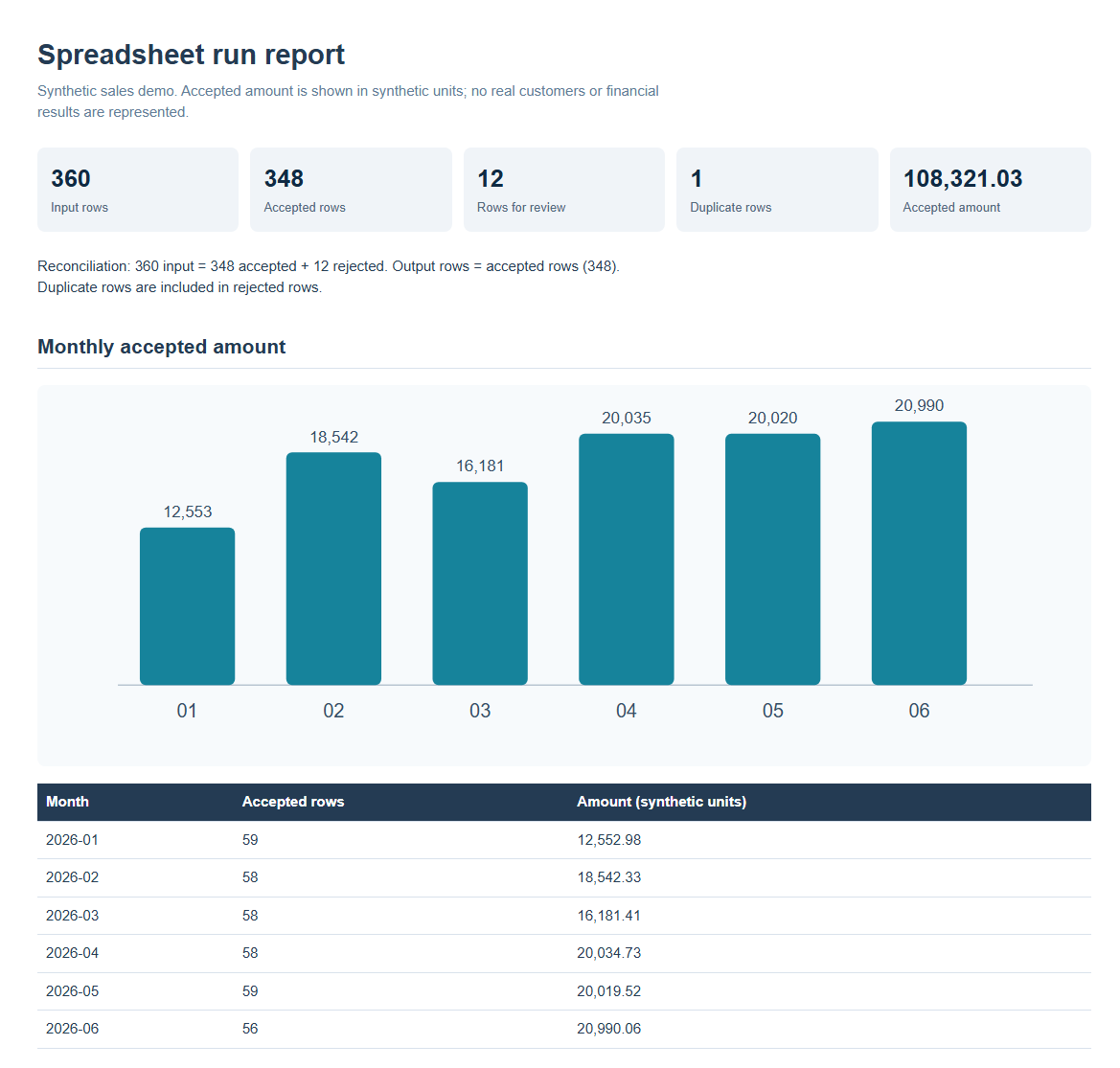
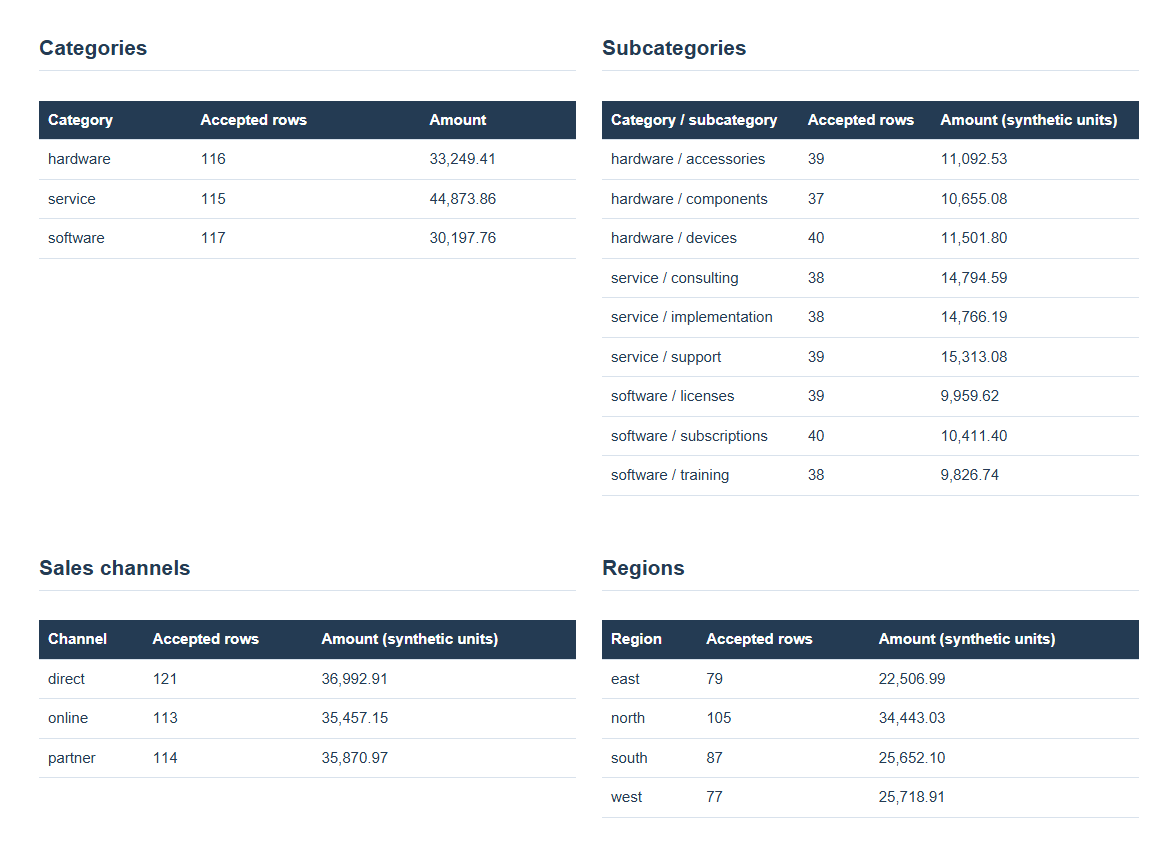
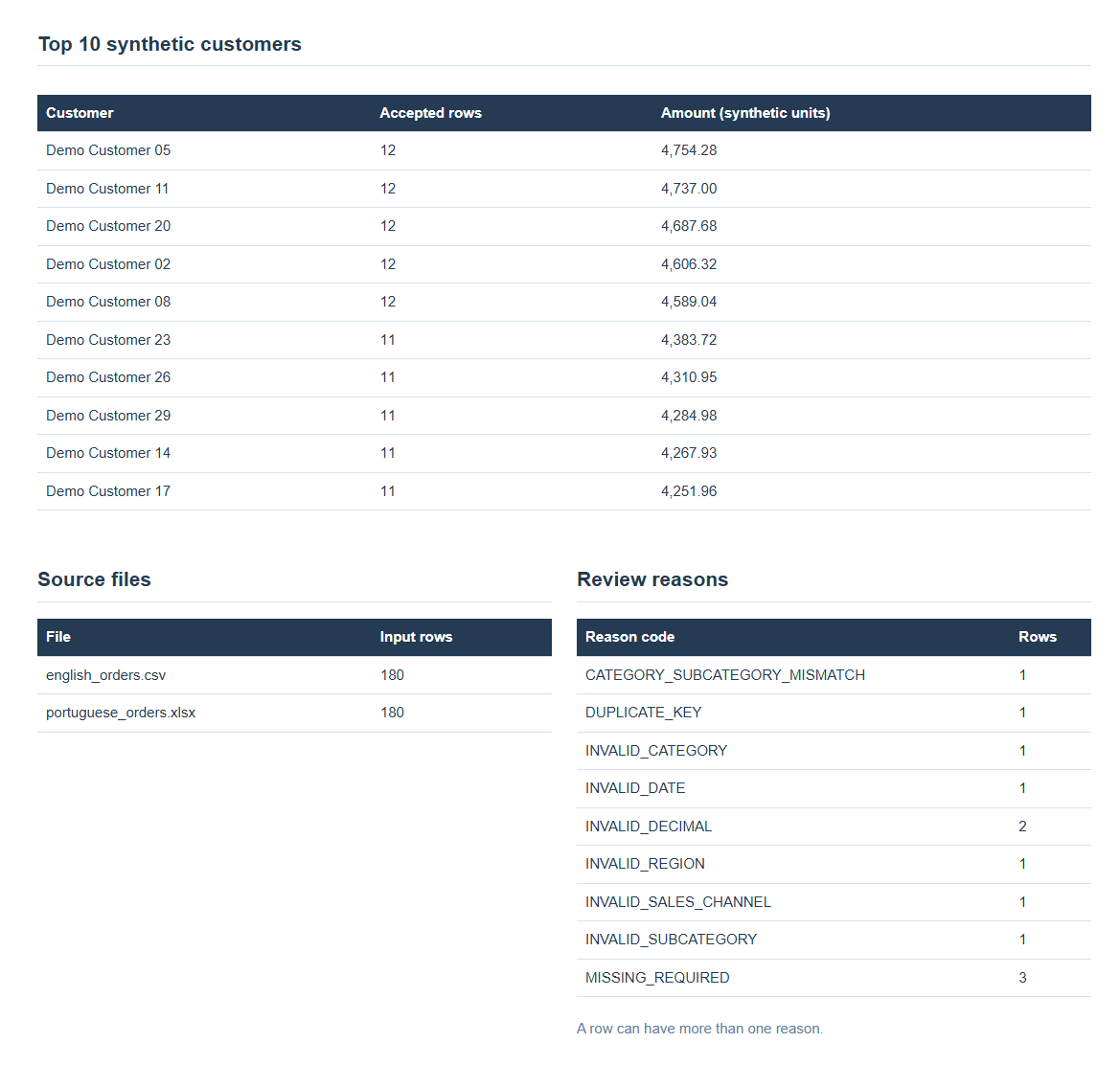
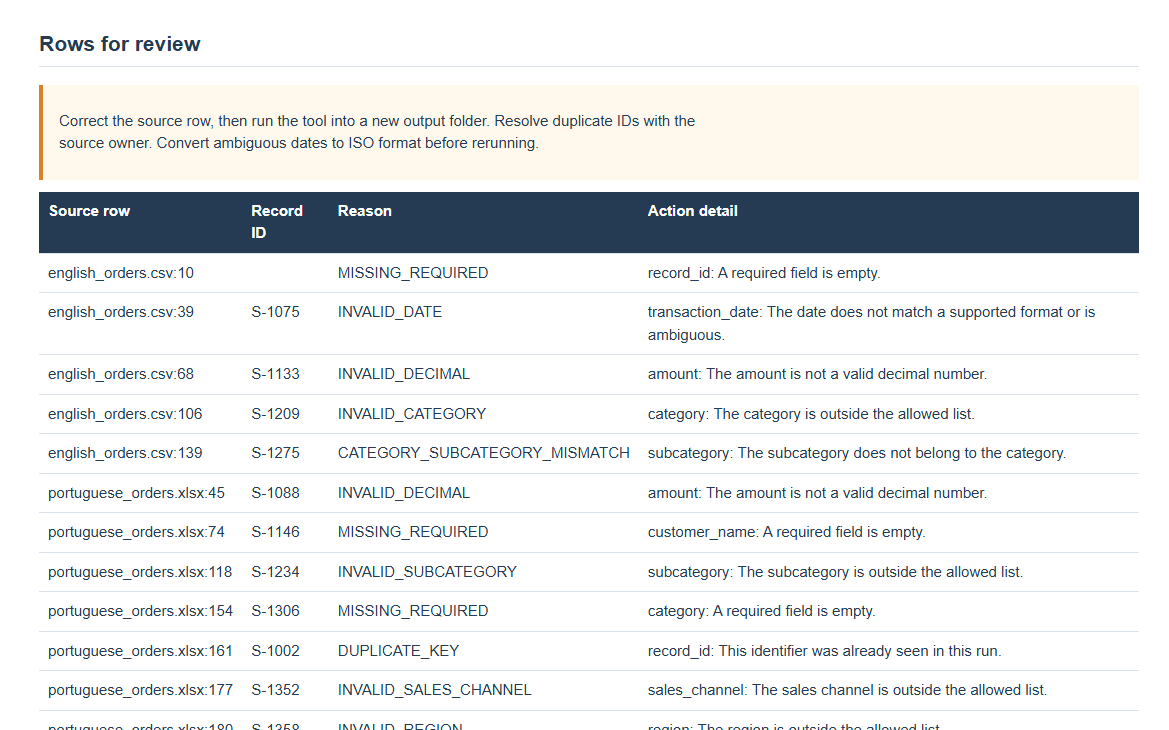
This is a Python command-line tool, not a hosted web app. The screenshots show its generated HTML report from a fixed synthetic sales example. Amounts are in synthetic units, with no client results claimed.
Overview
A reusable command-line tool for recurring CSV and Excel exports. Configured aliases and validation rules produce canonical clean rows, a review queue, a manifest, and a self-contained HTML report.
Sample report output
The Challenge
Column names, formats, missing values, and duplicates vary between files, making recurring reports fragile and slow.
The Solution
The Python pipeline reads both formats, maps headers to a configurable schema, normalizes dates and amounts, validates records, flags duplicates and other exceptions with source row references, and writes clean.csv, exceptions.csv, manifest.json, and report.html.
How to use the kit
- 01
Point it at recurring exports
Pass a CSV, an Excel workbook, or a folder of both. The included demo combines English and Portuguese headers with different date and number formats.
- 02
Apply a documented data contract
Configured aliases map source columns to canonical fields. Validation checks required values, dates, amounts, allowed categories, and duplicate IDs without guessing ambiguous inputs.
- 03
Review exceptions at the source
Accepted rows go to clean.csv. Rejected rows go to exceptions.csv with a reason and source file and row, so a person can correct the input and rerun.
- 04
Share a reconciled result
manifest.json confirms input = accepted + rejected. The self-contained report.html shows counts, monthly trends, category breakdowns, and review reasons.
Results & Impact
In the included synthetic demo, 360 input rows reconcile to 348 accepted and 12 for review, including one duplicate. Outputs are deterministic for unchanged inputs. These counts describe the demo, not a client result.
What the workflow gives you
Repeatable reporting
The same input bytes and configuration produce the same output artifacts.
No silent data loss
Every nonblank source row is accepted or sent to review; the demo balances 360 = 348 + 12.
Human control
The tool flags ambiguous dates and duplicates for a reviewer instead of inventing corrections.