Analytics & BI · Live demo
Small-Business Finance & Sales Cockpit
See the operating picture, then find the next action.
- interactive filters
- 6
- interactive filters
- priority KPIs
- 4
- priority KPIs
- synthetic data
- 100%
- synthetic data
Northstar Operations is fictional. Every name, transaction, and amount in this fixed 22 October 2026 snapshot is synthetic. The dashboard demonstrates a method, not measured client impact.
Overview
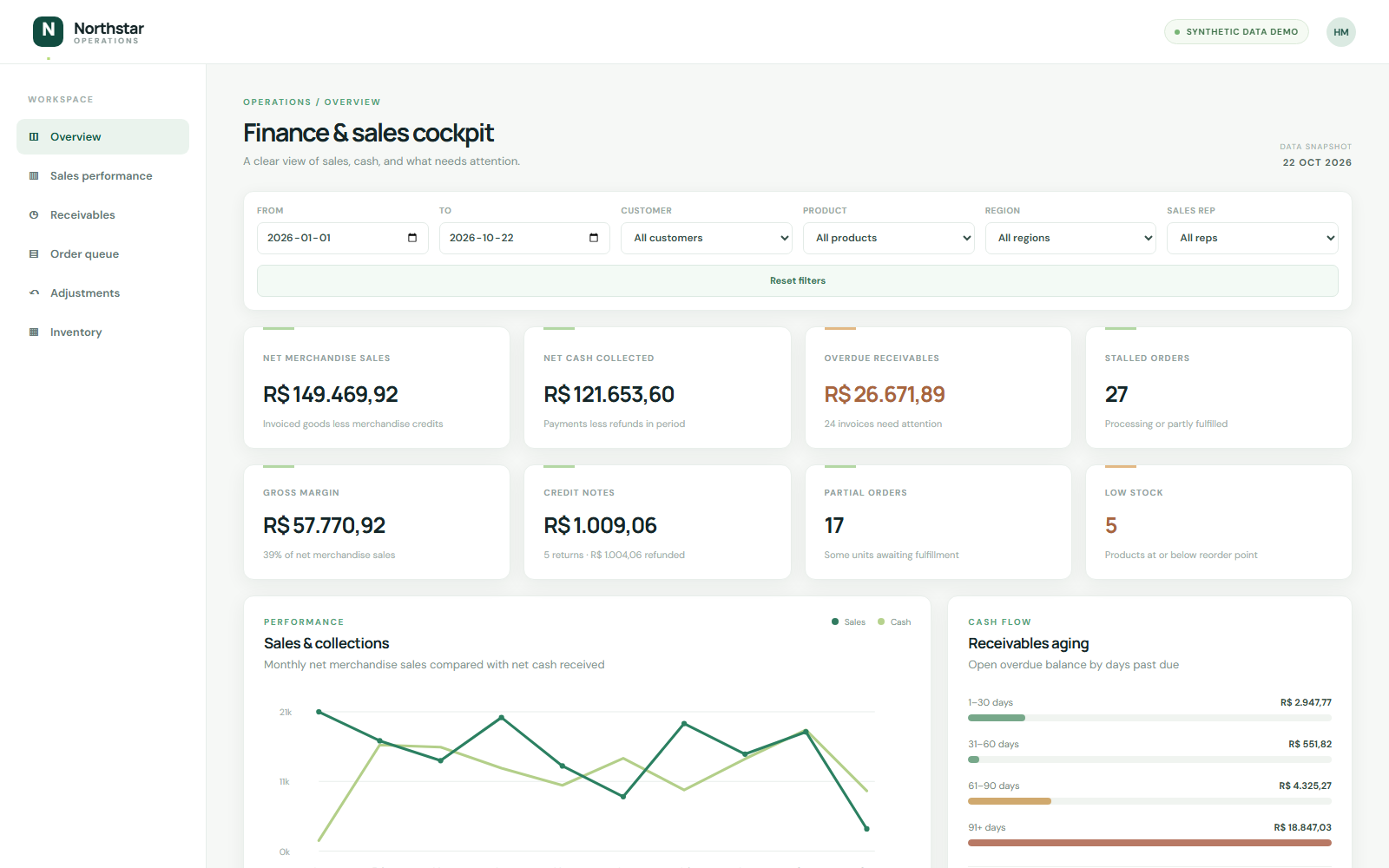
A working browser demo for a fictional small business. It brings orders, invoices, payments, product costs, returns, and stock into one operating view, with a fixed synthetic snapshot dated 22 October 2026.
Inside the dashboard
The Challenge
Small teams often rely on disconnected spreadsheets and manual reporting to answer basic finance and sales questions.
The Solution
A seeded Python generator creates related business records; SQLite-backed validation reconciles them; a browser metric engine computes documented KPIs and interactive views. Filters cover date, customer, product, region, and sales representative.
A useful 4-step walkthrough
- 01
Start with the operating picture
Compare net merchandise sales with cash actually collected. Check gross margin, overdue receivables, stalled orders, and low-stock alerts before opening a spreadsheet.
- 02
Find the next follow-up
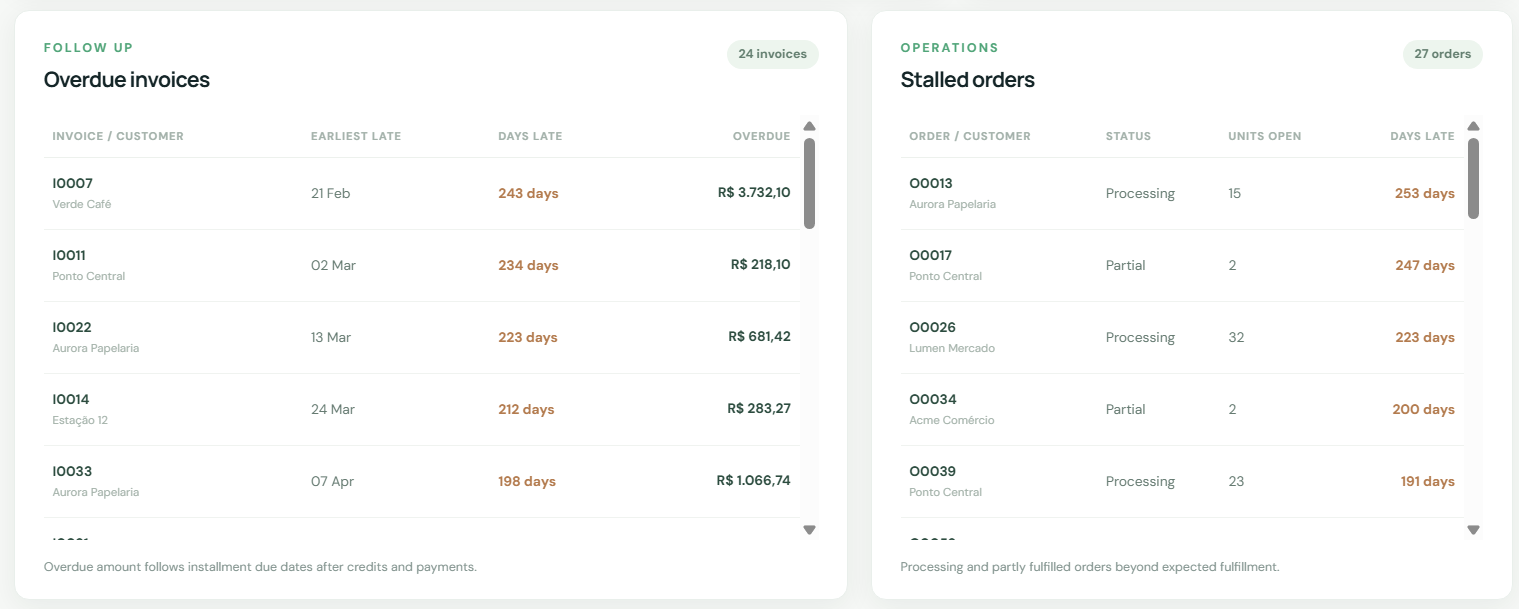
Use installment-aware aging and the overdue invoice queue to identify what is late. The order queue shows processing and partially fulfilled orders with remaining units.
- 03
Narrow the question
Filter by period, customer, product, region, or sales representative. The interface explains why product filters do not change invoice-level cash or receivables.
- 04
Trace the number
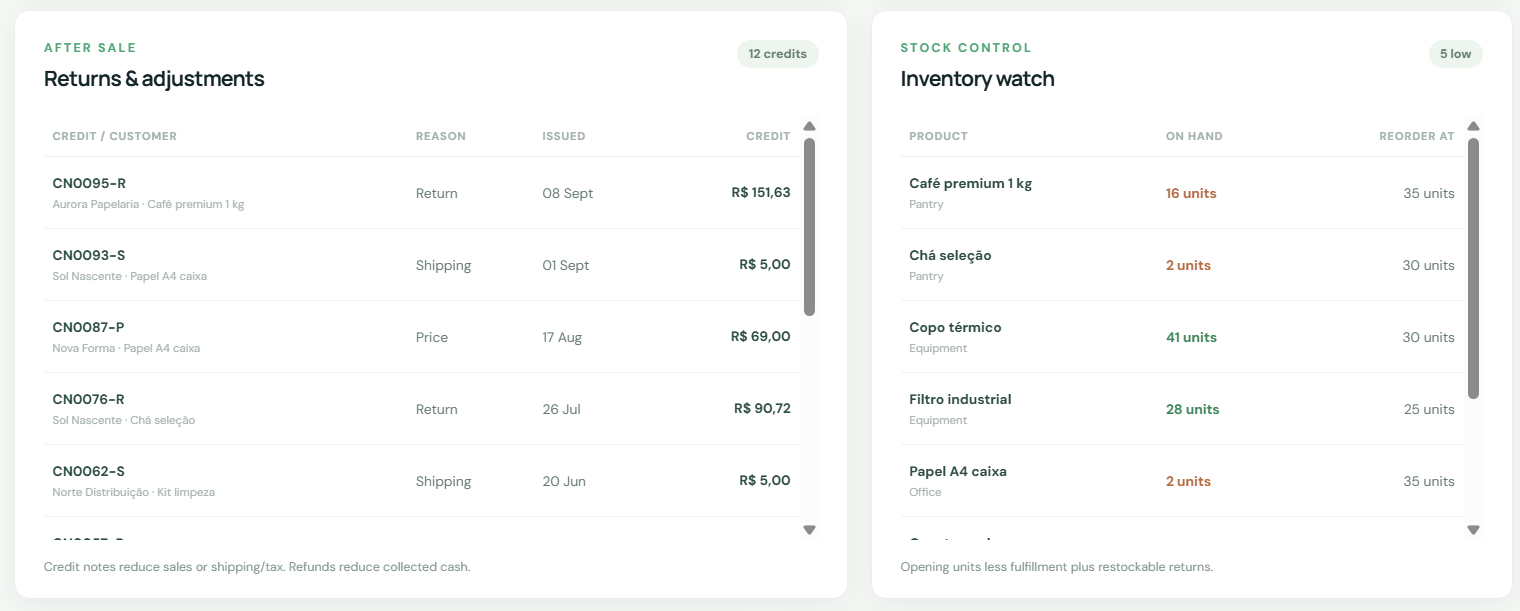
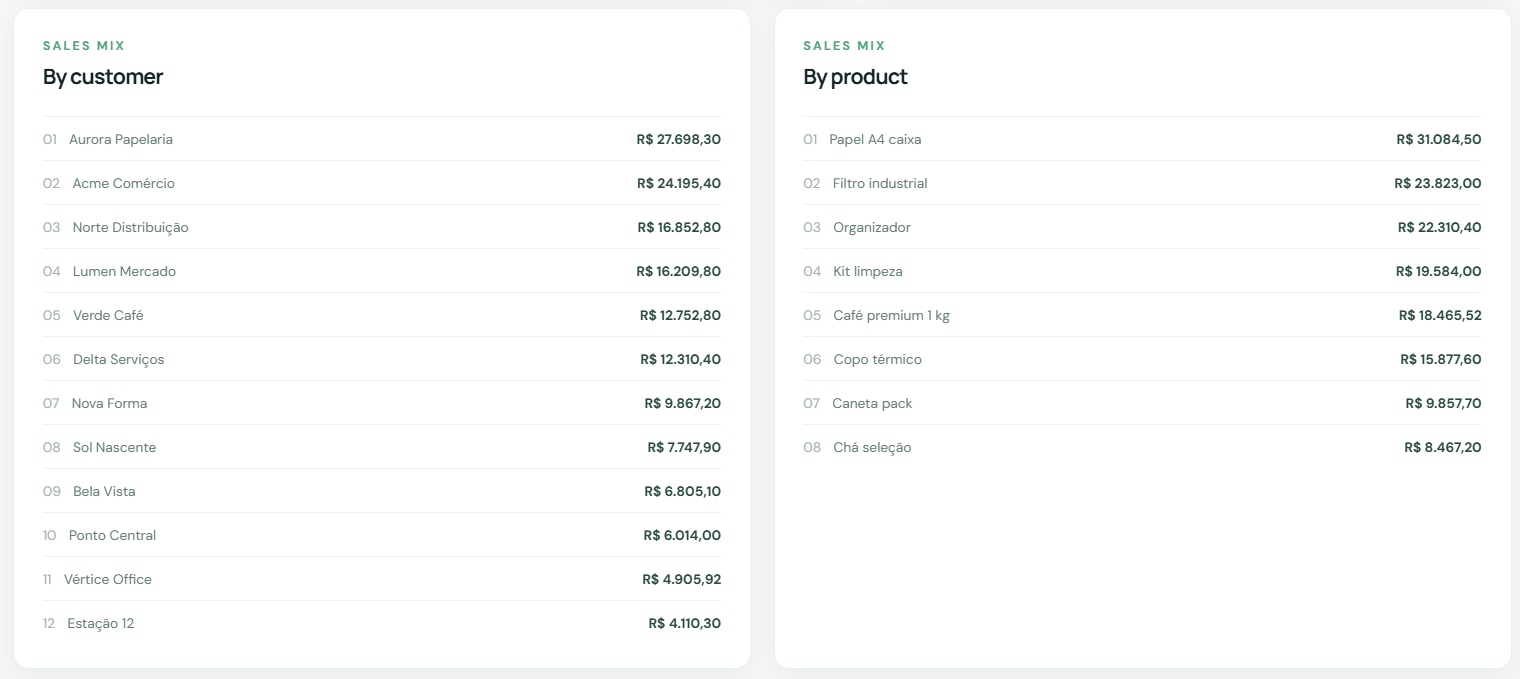
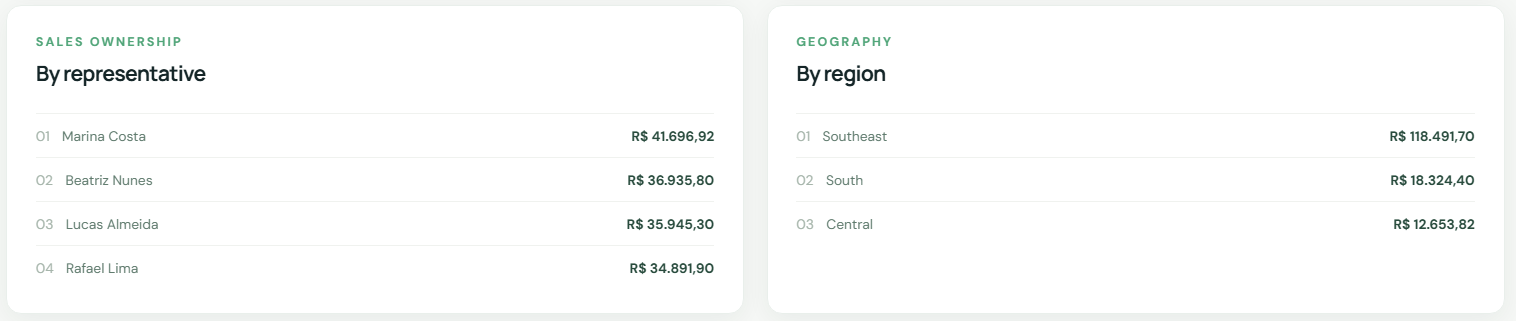
Inspect sales mix, returns, adjustments, and inventory watch. Open the metric definitions to see how credits, refunds, and fulfillment affect each KPI.
Results & Impact
The published demo exposes sales, net cash, gross margin, installment-aware receivables, overdue and stalled-order queues, returns, and inventory watch. All amounts and customers are synthetic; no real client outcome is claimed.
Why this is useful
One shared view
Sales, collections, receivables, orders, and stock are shown together with consistent definitions.
Actionable queues
Late installments and stalled orders are visible as named follow-ups rather than buried totals.
Auditable metrics
The seeded source model, validation checks, and documented rules make each displayed number explainable.